

Widget JavaScript API reference
The StrikeUp widget script gives your page two entry points: window.initStrikeUpChatWidget(config), which starts the widget for one user, and window.StrikeUpChat, a small object your code uses to open and close the chat, wait until it is ready, remove it, and hand the assistant hidden page context. Everything else, such as colours, position and URL rules, comes from the widget’s saved settings in StrikeUp and is not part of the API. This page lists every option and method, with its type, default, return value and the console messages it can produce.
How it works
Section titled “How it works”The script defines its globals when it runs. Your page calls initStrikeUpChatWidget once the user is known; the widget fetches its saved settings with the application token, draws itself and loads the chat in a frame. window.StrikeUpChat then talks to that chat for you.
Globals the script defines
Section titled “Globals the script defines”| Global | Type | Notes |
|---|---|---|
window.initStrikeUpChatWidget(config) | (config: object) => void | Starts the widget. Returns nothing (no promise). Calls run one after another; a call without applicationToken is ignored |
window.StrikeUpChat | object | Exists only after the script has run |
window.destroyStrikeUpChatWidget() | () => void | The same as StrikeUpChat.destroy() |
window._strikeupChatWidgetQueue | array of configs | Calls queued before the script loaded; the script replays them |
strikeupChatWidgetLoaded | event on window | Fired once when the script has finished running, not when the chat is ready |
window.chatWidgetConfig.loginTicket | string | The only value the script reads from this global, as a fallback for loginTicket |
Options of initStrikeUpChatWidget
Section titled “Options of initStrikeUpChatWidget”| Option | Type | Default | Effect |
|---|---|---|---|
applicationToken | string, required | none | Identifies the widget; its settings are loaded with it |
userId | string, at most 255 characters | none | The customer’s id; keys history, memory, credentials and sign-in. A different value in a later call restarts the widget |
userDisplayName | string | none | The customer’s name, filled only when empty |
userEmail | string | none | The customer’s email, filled only when empty |
userCompanyId | string | none | Links the customer to the customer company with that Company ID, if they have none yet |
userCompanyName | string | none | The name used to match or create the company |
handoffUserId | string | userId | The person’s id in your help desk for human handoff |
loginTicket | string | window.chatWidgetConfig.loginTicket, then a loginTicket parameter in the page’s address | Signs the customer in without a prompt; valid 60 seconds, once. A new ticket in a later call restarts the widget |
serverAuthorizations | Array<{ serverId: string; authData: Record<string, string> }> | none | Handed to the chat frame by message, never in its address, and saved as the customer’s toolkit credentials when the chat connects |
getServerAuthorizations | () => Array<…> | null | Promise<Array<…> | null> | none | Returns fresh credentials in the same shape. The widget calls it before every message and tool approval, and when a stored credential is refused; it waits at most 5 seconds. Return null to keep the current ones |
openTarget | string | taken from strikeup_open in the page’s address | chat:<id> or run:<id>; the widget opens that chat or run once the customer is signed in. Set automatically from notification Open links |
displayType | "popup" | "modal" | "sidebar" | "panel" | "custom-trigger" | "custom-trigger-panel" | "inline" | The widget’s saved display type | Overrides the saved display type on this page |
container | CSS selector string | HTMLElement | none | Required for "inline"; the element the chat fills. Never sent anywhere |
portalDisplayType | "inline" | none | Inline only: the customer portal opens inside the same container |
theme | "light" | "dark" | "system" | The visitor’s last choice in the widget, otherwise "system" | The chat’s colour mode |
showToolArgs | boolean (only true counts) | false | Shows the arguments of each tool call in the progress steps visitors see |
Options not listed here are ignored. The old headers option is ignored too, with a warning in the browser console; pass credentials in serverAuthorizations. The widget’s look comes from its saved settings, not from options: button position, colours and size, width and height, display behaviour, modal backdrop, launcher icon and URL rules are set on ConfigureUser Interface or are fixed. Only displayType can be overridden from your code.
Calling initStrikeUpChatWidget again
Section titled “Calling initStrikeUpChatWidget again”| Second call | Result |
|---|---|
Same userId and no new loginTicket | The open chat is left alone; only the saved settings are refreshed. New serverAuthorizations are passed on and saved again |
Different userId, or a new loginTicket | The widget is removed and started again for the new identity |
After StrikeUpChat.destroy() | A fresh widget starts |
Methods of window.StrikeUpChat
Section titled “Methods of window.StrikeUpChat”| Member | Signature | Returns | Behaviour |
|---|---|---|---|
open | open(options?: { message?: string; openContext?: string; autoSend?: boolean | 1 | "1" | "true" }) | void | Opens the pane of a custom-trigger display type. Does nothing before the widget is ready. message alone is shown as the assistant’s opening line; with autoSend it is sent as the visitor’s first question in a new chat. openContext is hidden context for the first answer (shortened to 8192 characters) |
close | close() | void | Collapses a custom-trigger pane. No effect on the panel. Avoid on pop-up, modal and sidebar |
destroy | destroy() | void | Removes the launcher, pane and chat frame, ends the live connection and restores your page’s padding. Safe when nothing is mounted. Does not sign the customer out |
getDisplayType | getDisplayType() | string | null | The display type in use; null before start and after destroy() |
isReady | isReady() | boolean | true once the chat has announced it is ready, after an 8-second fallback, or at once when nothing is drawn (hidden by URL rules, failed start, pop-up not opened yet) |
isOpen | isOpen() | boolean | true while the chat is visible; always true for panel and inline while on the page; false before start, after destroy() and on hidden paths. No change event |
onReady | onReady(cb: (displayType: string | null) => void) | () => void, to unsubscribe | Calls cb when the widget is ready. null means the token is wrong or the settings could not be loaded. If already ready, cb runs right after the call returns |
context.set | set(value: string | object) | boolean | Replaces the staged page context. Objects become JSON. false above 8192 characters, and nothing is staged |
context.add | add(value: string | object) | boolean | Appends on a new line; false if the result is over 8192 characters |
context.clear | clear() | void | Empties the staged page context |
context.get | get() | string | null | The staged value; null once it has been sent with a message |
setServerAuthorizations | setServerAuthorizations(authorizations: Array<{ serverId; authData }>) | boolean | Hands the chat new credentials, for example after your token was refreshed. Replaces the ones passed at start; only the toolkits listed are touched. false, with a console warning, when the value is not an array |
The older option name developerContext for openContext still works and logs a deprecation warning.
Console messages
Section titled “Console messages”| Message | Cause |
|---|---|
[StrikeUpChat] displayType "inline" requires a valid container (CSS selector or Element). Widget not mounted. | displayType: "inline" without a container that matches an element |
[StrikeUpChat] context.set rejected: N chars exceeds the 8192-char limit. | context.set() with more than 8192 characters |
[StrikeUpChat] context.add rejected: result N chars exceeds the 8192-char limit. | context.add() would make the context longer than 8192 characters |
[StrikeUpChat] open({ developerContext }) is deprecated — use open({ openContext }). | The old option name |
[StrikeUpChat] onReady callback threw: | Your onReady callback threw an error; the widget caught it |
[StrikeUpChat] Widget initialisation failed: | An unexpected error while starting |
[StrikeUpChat] setServerAuthorizations rejected: expected an array of { serverId, authData }. | setServerAuthorizations() with something other than an array |
[StrikeUpChat] serverAuthorizations ignored: expected an array of { serverId, authData }. | The serverAuthorizations option is not an array |
[StrikeUpChat] getServerAuthorizations returned an invalid value; keeping the previous credentials. | Your callback returned something other than an array or null |
[StrikeUpChat] getServerAuthorizations failed; keeping the previous credentials. | Your callback threw an error or its promise was rejected |
[Widget] Failed to parse includeUrls: or excludeUrls: | The widget’s saved URL rules are not valid |
| Nothing at all | Wrong application token or unreachable API: nothing is drawn, and onReady reports null |
Notification Open links
Section titled “Notification Open links”The Open button in an email, Slack, Telegram or Teams notification leads to the App page URL set on ConfigureUser Interface with ?strikeup_open=chat:<id> or run:<id> added. The script reads that parameter as soon as it loads, removes it from the address bar so a reload does not open it again, and passes it on as openTarget. A chat opens only if it is in the signed-in customer’s own list; a run opens in the customer portal, only while the portal is on. Anything else leaves the customer on the home screen. Keep the parameter when your page redirects before the widget starts. See Job notifications and chat apps.
Load order
Section titled “Load order”window.StrikeUpChat and the real initStrikeUpChatWidget exist only after the script has run. With the plain script tag before your inline call, at the end of <body>, that is always true. If the script loads asynchronously, start the widget from the strikeupChatWidgetLoaded event, or define window._strikeupChatWidgetQueue and a queuing initStrikeUpChatWidget before anything else; the script keeps the queue and replays it. Do not load the script in <head>: there it fails partway, the URL rules are no longer re-checked on route changes and the loaded event never fires.
Example
Section titled “Example”A page with its own “Toggle assistant” button, on a widget set to Custom Trigger — Panel. The button stays disabled until the widget is ready, then opens or closes the pane.
<button id="ask-ai" disabled>Toggle assistant</button>
<script src="https://<your widget script URL>" data-api-url="https://api.strikeup.io"></script><script>  window.initStrikeUpChatWidget({    applicationToken: "<your widget's application token>",    userId: "cus_48210",    userDisplayName: "Rosie Kendall",    userCompanyId: "SAP-5531"  });
  const button = document.getElementById("ask-ai");
  window.StrikeUpChat.onReady(function (type) {    if (type === null) return;                     // token wrong or API unreachable    button.disabled = false;  });
  button.onclick = function () {    window.StrikeUpChat.isOpen() ? window.StrikeUpChat.close() : window.StrikeUpChat.open();  };</script>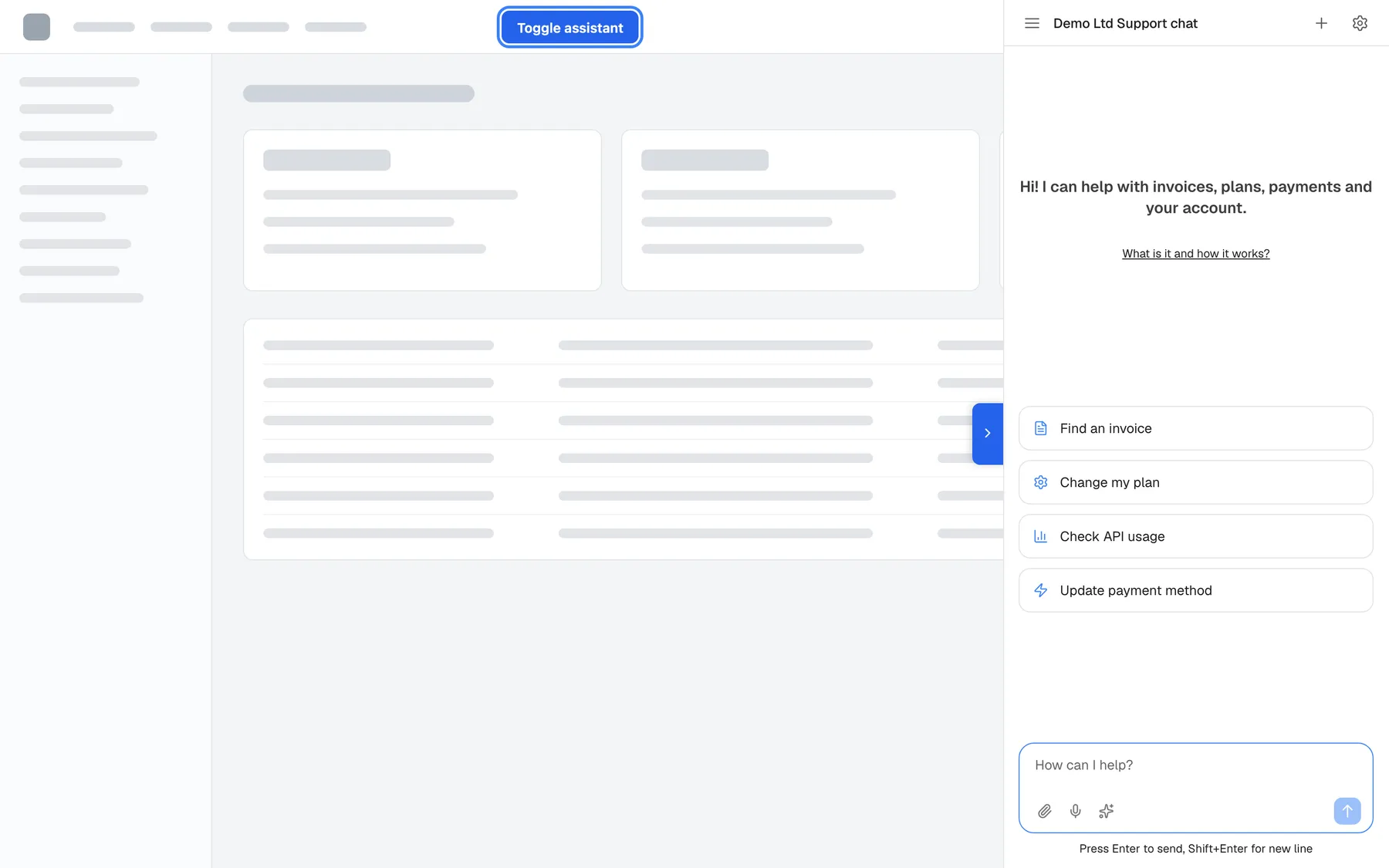
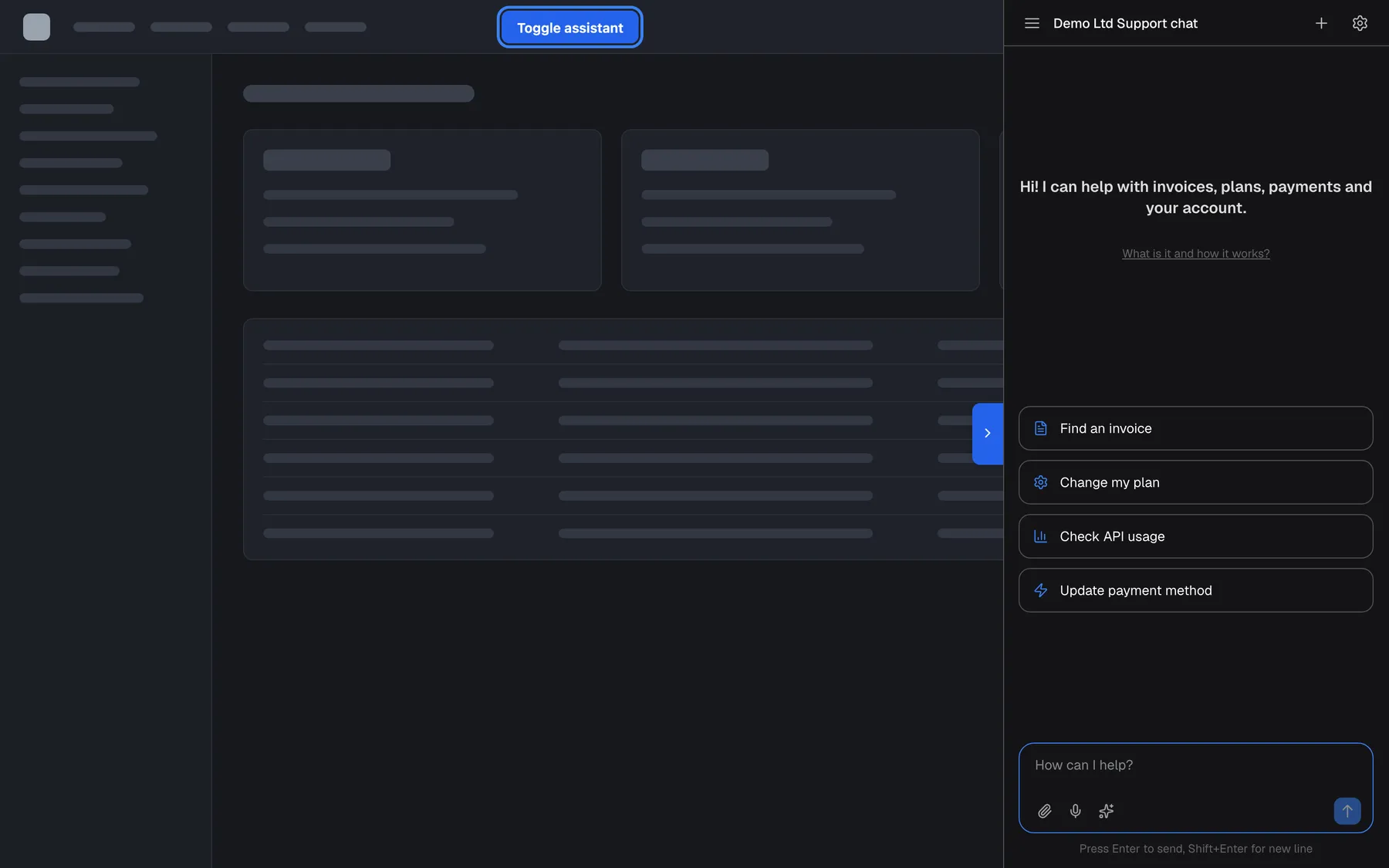
What this screenshot shows
- Screen
- (host page (https://app.example.com/))
- Highlighted
- button “”, host-header, pane open. calls StrikeUpChat.isOpen() ? close() : open()
- Also visible
- Host page with its own toggle button; Full-height pane on the right with welcome text, cards and message box
- Purpose
- the JavaScript API at work
More calls that build on it:
// Ask straight away, with a hint for the first answerwindow.StrikeUpChat.open({  message: "Summarise invoice INV-2026-0418",  autoSend: true,  openContext: "Opened from the invoice INV-2026-0418 detail page."});
// Describe the page on every route change (8192-character limit)const ok = window.StrikeUpChat.context.set(  "User: Rosie Kendall (cus_48210)\nPage: Invoice details (/invoices/inv_2026_0418)");if (!ok) console.warn("page context too large");
// Another user signs in without a reload: restart for themwindow.initStrikeUpChatWidget({ applicationToken: TOKEN, userId: "cus_48284", loginTicket: freshTicket });
// The user signs out of your app: remove the widget, and pass the next user's userId on the next loadwindow.StrikeUpChat.destroy();
What it does not do
Section titled “What it does not do”- No promise and no events beyond readiness.
initStrikeUpChatWidgetreturns nothing; useonReady. There is no event when the visitor opens or closes the chat; pollisOpen(), for example every 200 milliseconds. - No sign-out.
destroy()removes the widget but leaves the end customer’s session in that browser. Customers sign out with “Log out” in the customer portal. - No sending into an existing chat. The only way to send a message from your code is
open({ message, autoSend: true }), which always starts a new conversation. - No language option. The chat follows the visitor’s browser language (English, German or Spanish).
- No look-and-feel options. Colours, launcher position and icon, sizes and URL rules come from the widget’s settings.
- No access from other frames. Only the window that loaded the script has
window.StrikeUpChat. - No public message protocol. The messages the page exchanges with the chat frame, and the parameters in the frame’s address, are internal and change without notice; use only the methods on this page.
- One widget per page. A second
initStrikeUpChatWidgetcall with another user replaces the first widget.
Where you see it
Section titled “Where you see it”- The code your page starts with is generated on ConfigureEmbed: the embed code, the inline variant,
Custom Trigger Button Snippetsforopen(),close()andisOpen(), and Give the AI hidden context about your page foropenContextandcontext.set(). - Installing the script and the init call: Install the widget in your product.
displayType,container,open(),close()andisOpen()in context: Display types and custom triggers.- Identity options,
openContextandcontext.*in depth: Identify users and pass context. loginTicket: End-customer sign-in.serverAuthorizations: Let the assistant call your API as the user.