

Identify users and pass context
An assistant that does not know who is asking answers every question as if from a stranger, and cannot tell which invoice “this one” is. The widget takes the signed-in user’s identity from your page when it starts, and your page can hand it hidden context about what the user is looking at, so chat history, memories and saved credentials belong to the right person and answers fit the page.
What it does
Section titled “What it does”Your product already knows who is signed in and which record is on screen. The widget does not, unless your page tells it. Without that, the assistant asks the user for details they can see in front of them, and everything a person does in the chat cannot be tied back to them in your CRM.
Your page passes identity fields in the initStrikeUpChatWidget call and page context through window.StrikeUpChat. From there:
- Each person is one customer in StrikeUp, keyed by your
userId, with their own history, memories and toolkit credentials. Identity fields. - Customers are grouped into their companies by the company id you pass. userCompanyId and userCompanyName, the customer’s company.
- The assistant knows which page, record or filter the user is looking at, up to 8192 characters of text. Live page context.
- A button can tell the assistant why it was pressed, for the first answer only. Open-time context.
Context never appears in the chat. Your staff can check exactly what reached the assistant under Injected Context in an AI action’s details.
Before you start
Section titled “Before you start”| Requirement | Details |
|---|---|
| A widget installed in your product | Install the widget in your product |
| A stable id for each of your users | Your own database key, not an email address that can change |
| Your customers’ companies (optional) | Under CRMCompanies, each with a Company ID that matches the id you pass |
| Plan or cost | No plan gate. Page context is text the assistant reads on later turns, so large or frequently changing context uses more AI tokens |
Understanding identity and context
Section titled “Understanding identity and context”The widget handles three kinds of information differently.
| Kind | How you pass it | Who uses it | How long it lasts |
|---|---|---|---|
Identity: userId, name, email, company, handoff id | initStrikeUpChatWidget({ … }) | StrikeUp, to find or create the customer and their company | Applied when a conversation starts; kept on the customer record |
| Open-time context | StrikeUpChat.open({ openContext }) | The assistant, for its first answer | The opening turn only |
| Live page context | StrikeUpChat.context.set(…) | The assistant, from the user’s next message onwards | Attached to the next message, then kept in the conversation until it ages out of the assistant’s recent history |
How StrikeUp decides
Section titled “How StrikeUp decides”- The customer is found by
userId. When a conversation starts, StrikeUp looks up the customer whose Customer ID equals youruserId, and creates one if there is none. - Name and email fill only empty fields.
userDisplayNameanduserEmailare written only when the customer has no name or email yet. Later values never overwrite an earlier value or an edit made by your staff in CRM. - The company is matched once.
userCompanyIdis matched to a customer company’s Company ID; if none matches,userCompanyNameis matched to a company name, ignoring case and extra spaces; if that fails too, a new company is created. The customer is assigned to it only if they have no company yet. - A new
userIdrestarts the widget. CallinginitStrikeUpChatWidgetagain with a differentuserIdremoves the widget and starts it for the new person. The sameuserIdchanges nothing. - The session decides who the customer is. Once a conversation runs, every later action uses the customer of that session, whatever your page passes afterwards.
What does not get used
Section titled “What does not get used”- Context while a human agent has the conversation: page context is not stored during a handoff.
- Context staged when the user starts a new chat or switches to another conversation: it is dropped from that send, and your page’s copy is sent again on the next
context.set(). - Ids that start with
anon-: they are reserved for anonymous sessions and ignored.
Setting it up in four steps
Section titled “Setting it up in four steps”-
Pass the user’s identity when the widget starts. In your page’s
initStrikeUpChatWidgetcall, filluserIdwith your stable id for the signed-in user, and add name, email and company:window.initStrikeUpChatWidget({applicationToken: "<your widget's application token>",userId: "cus_48210",userDisplayName: "Rosie Kendall",userEmail: "rosie.kendall@example.com",userCompanyId: "SAP-5531",userCompanyName: "Sample & Partners Ltd"}); -
Describe the page on every route change. Whenever the user opens a record or changes a filter, call
StrikeUpChat.context.set()with a few short lines: who the user is, where they are, the record’s name and id.window.StrikeUpChat.context.set("User: Rosie Kendall (cus_48210), Sample & Partners Ltd\n" +"Page: Invoice details (/invoices/inv_2026_0418)\n" +"Invoice: INV-2026-0418, status Paid, VAT 19%"); -
Give trigger buttons a reason (optional). When your own button opens the widget, add one sentence about why it was pressed:
window.StrikeUpChat.open({message: "Why was VAT charged on this invoice?",openContext: "Opened from the VAT line of invoice INV-2026-0418."}); -
Check what reached the assistant. Send a message in the widget, then open the chat’s AI action under AnalyticsAI actions. The section Injected Context lists the context lines the assistant received.
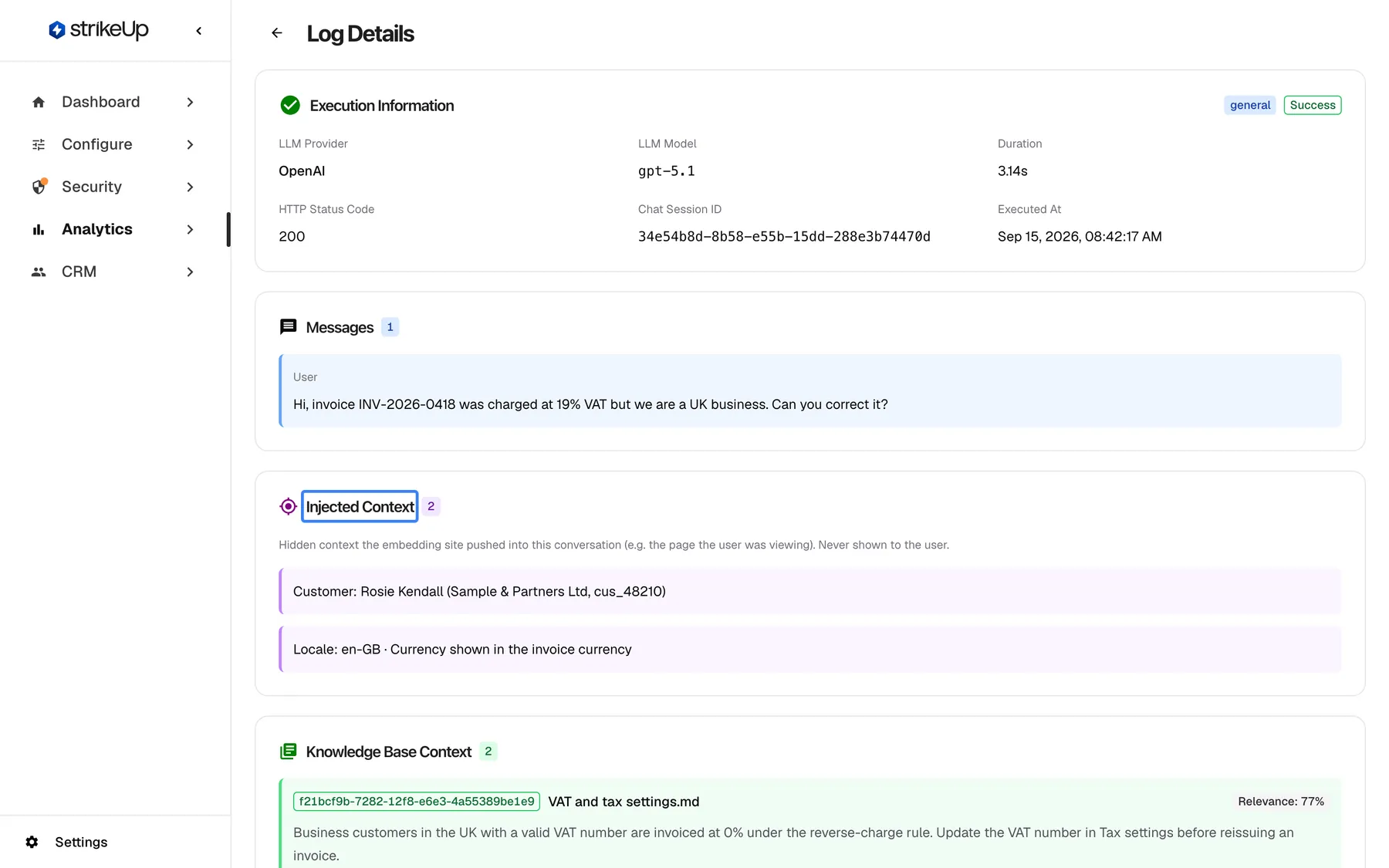
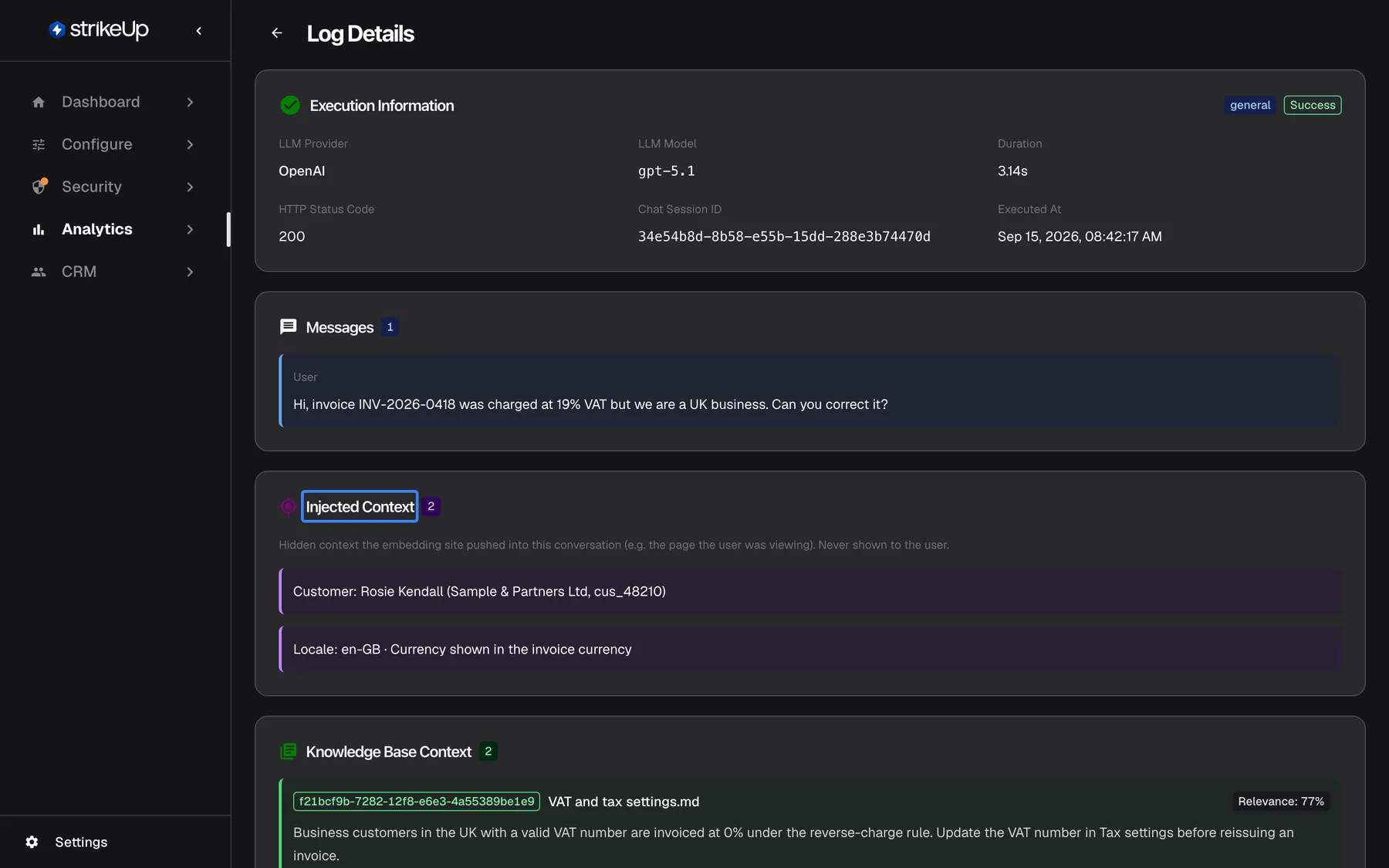
Context your page sends never appears in the chat; your staff can check what reached the AI under Injected Context. What this screenshot shows
- Screen
- (/admin/ai-logs/:id)
- Highlighted
- heading “Injected Context”, injected-context-card, 2 entries. none (read-only)
- Also visible
- Execution info OpenAI, HTTP 200; User message about invoice INV-2026-0418; Injected context: Customer: Rosie Kendall (Sample & Partners Ltd, cus_48210); Locale: en-GB; Start of Knowledge Base Context
- Purpose
- verifying what page context reached the assistant
Every setting, explained
Section titled “Every setting, explained”Identity fields are options of initStrikeUpChatWidget; context is set through window.StrikeUpChat. The Embed screen has a guidance block, Give the AI hidden context about your page, with snippets for both kinds of context.
Identity fields at start-up
Section titled “Identity fields at start-up”The six identity fields are optional strings in the initStrikeUpChatWidget call. They are applied when a conversation is created. The sign-in field loginTicket is explained in End-customer sign-in.
| Field | Becomes | Rule |
|---|---|---|
userId | The customer’s Customer ID | At most 255 characters; a change restarts the widget |
userDisplayName | The customer’s name | Filled only when empty |
userEmail | The customer’s email | Filled only when empty |
userCompanyId | The link to the customer company with that Company ID | Applied only if the customer has no company yet |
userCompanyName | The company name used to match or create a company | Matched ignoring case and extra spaces |
handoffUserId | The person’s id in your help desk | Used when a chat is handed to a human |
userId, the key to everything
Section titled “userId, the key to everything”userId in your initStrikeUpChatWidget call. The generated code on ConfigureEmbed has the placeholder your_customer_id here.
Your id for the person, as a string of up to 255 characters. It becomes the customer’s Customer ID in CRM and keys their chat history, memories, saved toolkit credentials and sign-in. The widget never asks the user for it. Passing the same id on every device gives the person the same history everywhere. Leaving the placeholder in place makes every visitor one shared customer.
A stable id is what lets the assistant remember a person and act for them, and what lets your staff find their chats in CRM.
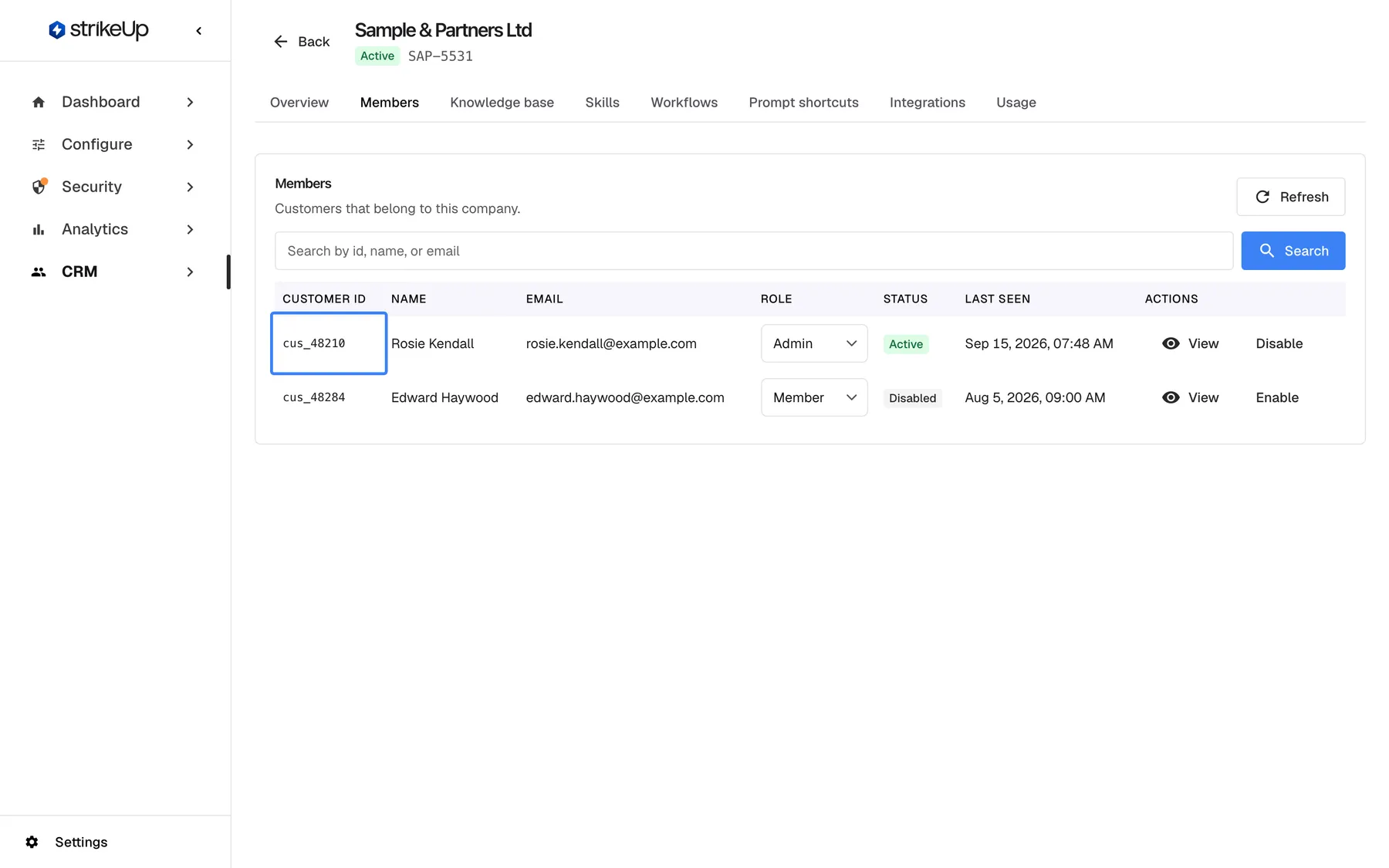
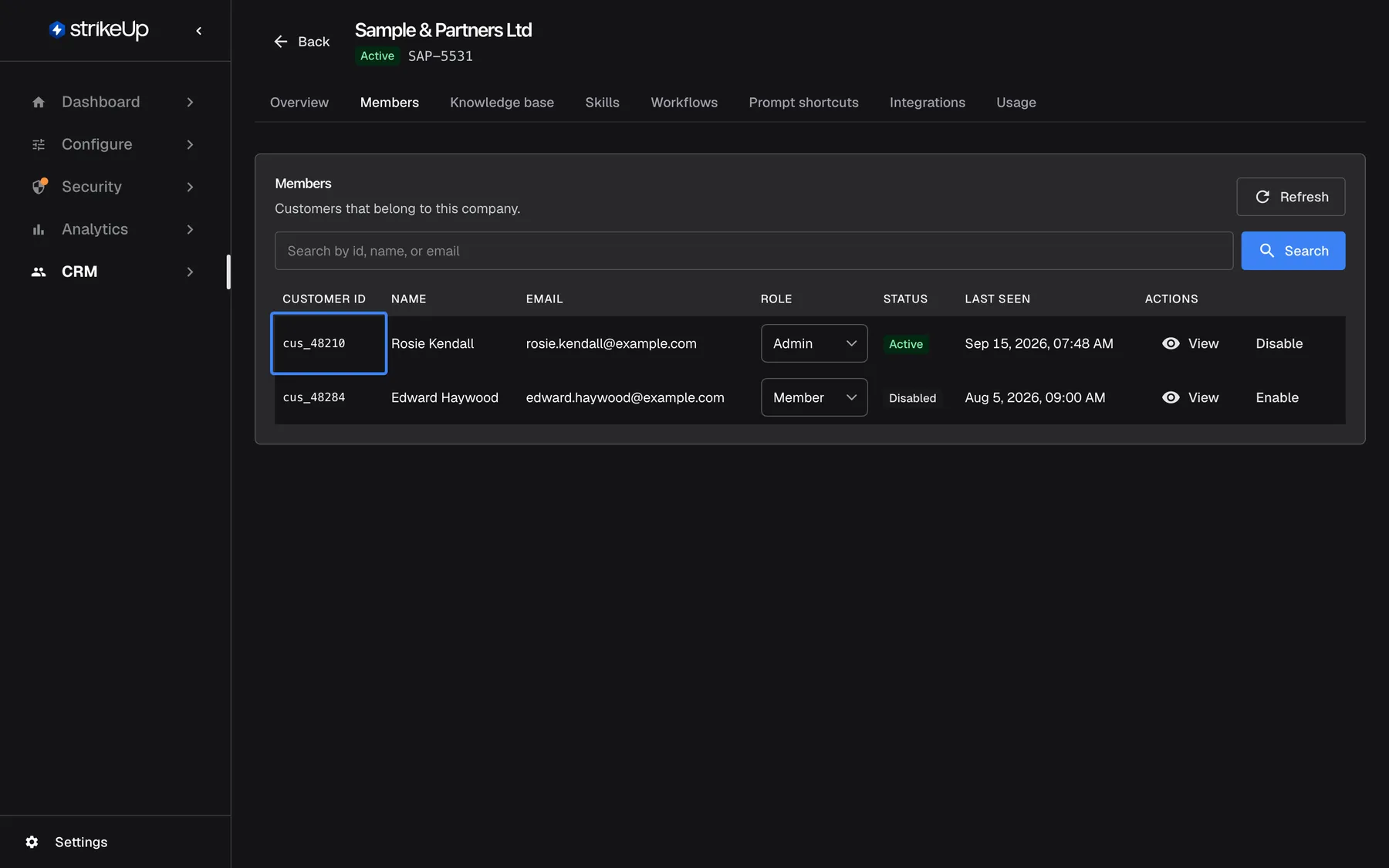
What this screenshot shows
- Screen
- Members (/admin/customer-companies/:id)
- Highlighted
- cell “”, members-table-first-row, Rosie Kendall, Admin, Active. none (the customer identifier from userId)
- Also visible
- Company Sample & Partners Ltd, Company ID SAP-5531; Rows cus_48210 Rosie Kendall Admin Active and cus_48284 Edward Haywood Member Disabled
- Purpose
- where the identity passed at init shows up for your staff
| Do | Don’t |
|---|---|
Use your database key for the user, such as cus_48210 | Use an email address that the user can change |
| Pass the same id on every page and device | Pass a session id that changes on every sign-in |
| Treat it as a public value | Put secrets or tokens in it: it is visible in the page |
userDisplayName and userEmail, the customer’s details
Section titled “userDisplayName and userEmail, the customer’s details”userDisplayName and userEmail in your initStrikeUpChatWidget call.
They fill the customer’s name and email in CRM, but only when those fields are empty. A user who renames themselves in your product keeps the old name in StrikeUp until your staff edit it in CRM. The end customer sees and can edit both on the Profile page of the customer portal; the Customer ID there is read-only.
Your staff recognise people by name, not by id. Filling only empty fields protects corrections your staff made.
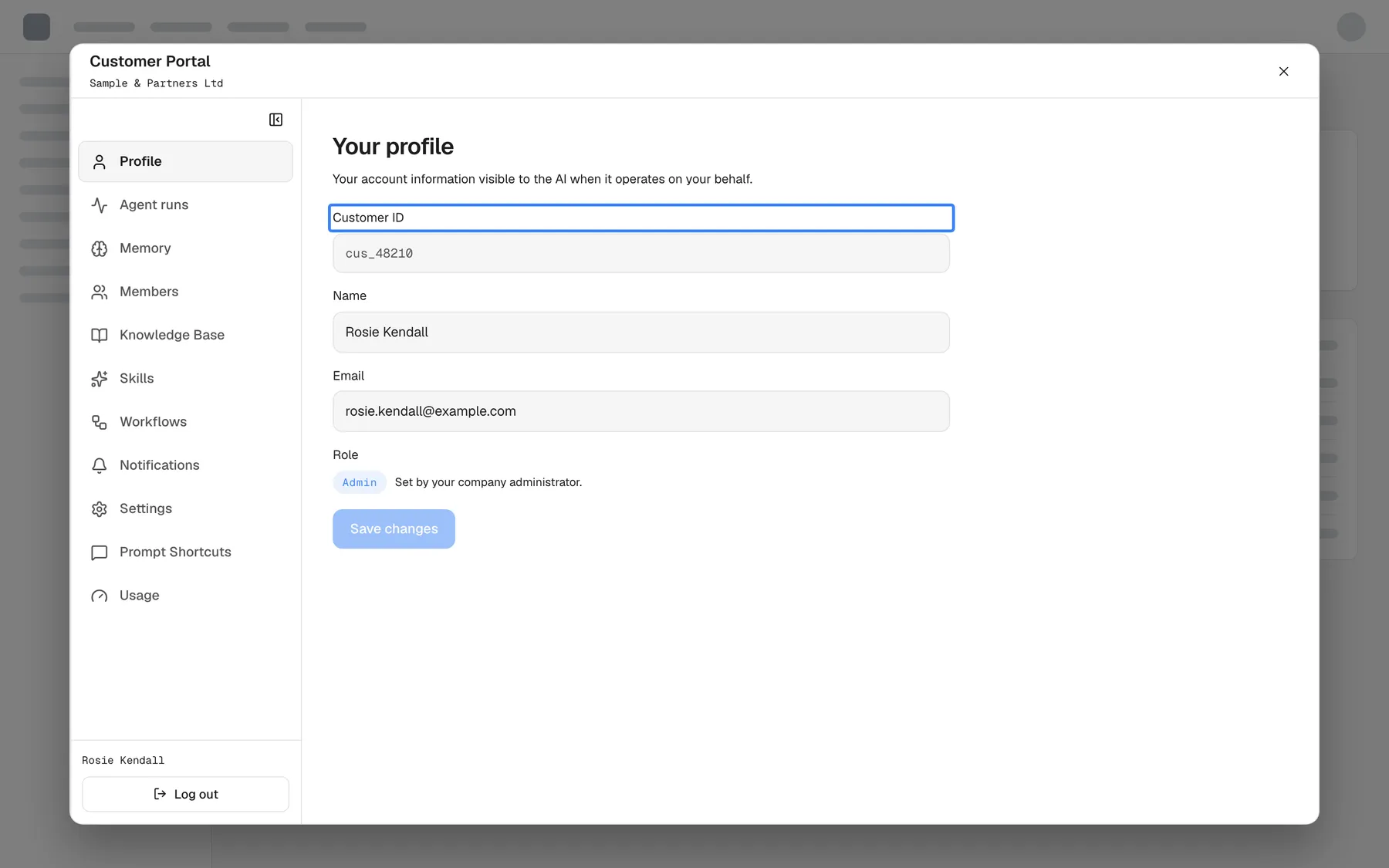
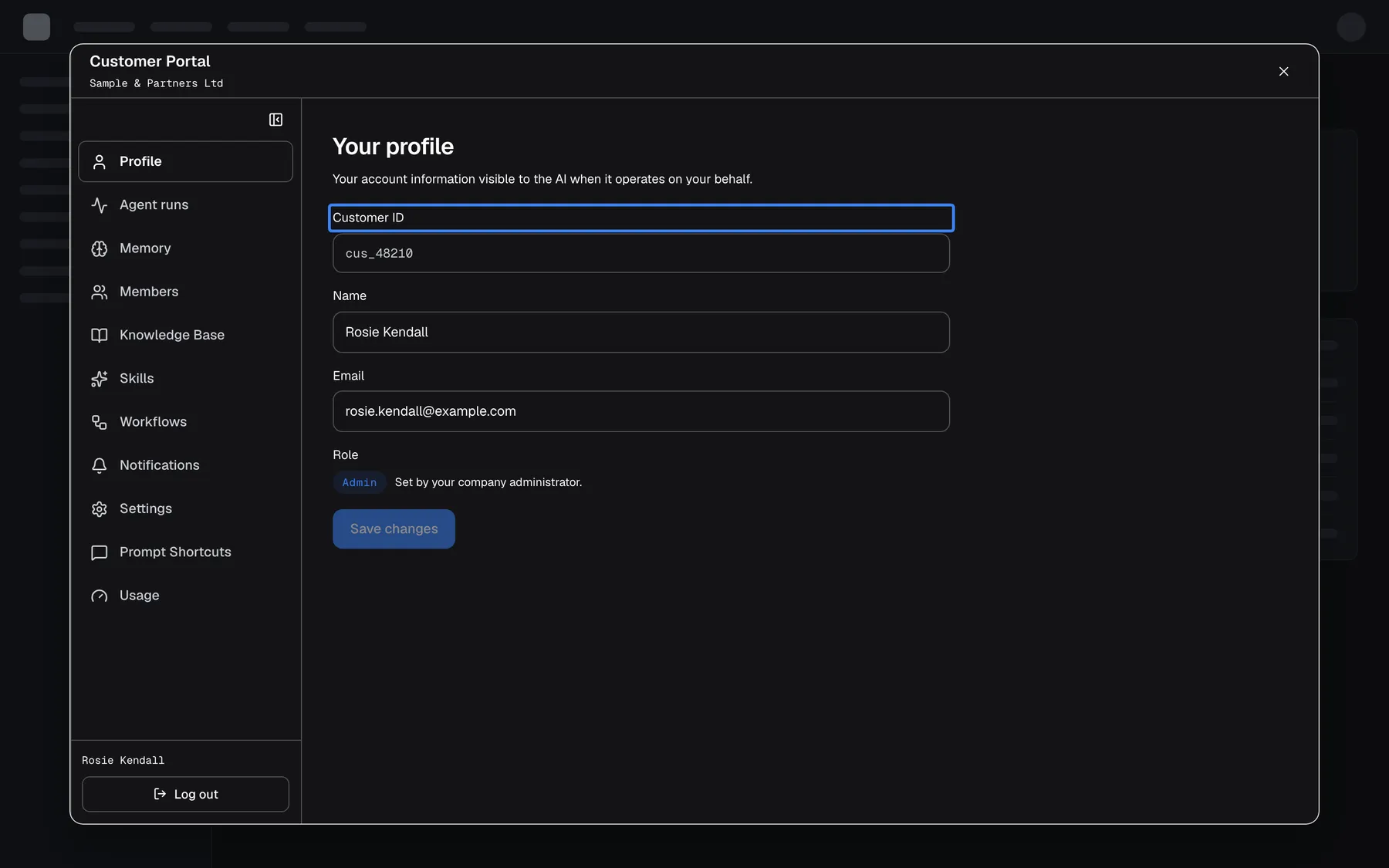
What this screenshot shows
- Screen
- Profile (host page › widget › Customer Portal › Profile)
- Highlighted
- label “Customer ID”, profile-form-top, value cus_48210, read-only. none
- Also visible
- Customer Portal header with Sample & Partners Ltd; Name Rosie Kendall, Email rosie.kendall@example.com, Role Admin; Portal sidebar with Log out
- Purpose
- showing that identity comes from the host page, not from the visitor
userCompanyId and userCompanyName, the customer’s company
Section titled “userCompanyId and userCompanyName, the customer’s company”userCompanyId and userCompanyName in your initStrikeUpChatWidget call. Companies live under CRMCompanies.
StrikeUp first looks for a customer company whose Company ID equals userCompanyId. If there is none, it looks for a company whose name matches userCompanyName, ignoring upper and lower case, leading and trailing spaces and double spaces. If neither matches, it creates a company. The customer joins that company only if they do not belong to one yet; a later value never moves them.
| Customer’s company today | userCompanyId matches | Result |
|---|---|---|
| None | A company’s Company ID | Joins that company |
| None | Nothing, but userCompanyName matches a name | Joins the company with that name |
| None | Nothing | A new company is created and the customer joins it |
| Already in a company | Any | Stays in the current company |
Customers of the same business share knowledge, workflows and members in the customer portal, and your staff see them together in CRM.
handoffUserId, the id in your help desk
Section titled “handoffUserId, the id in your help desk”handoffUserId in your initStrikeUpChatWidget call. Delete the line if you do not hand chats over to a help desk.
When a chat is handed over to a human, this id identifies the person in your help desk: it is the contact key in Intercom and part of the context sent to Help Scout. Without it, userId is used.
Your support team sees the conversation on the right contact, with that person’s earlier tickets.
StrikeUpChat.context.set(), live page context
Section titled “StrikeUpChat.context.set(), live page context”Your page’s code, after the widget script has run: window.StrikeUpChat.context.set(value), add(value), clear() and get(). Snippets are on ConfigureEmbed under Give the AI hidden context about your page.
set() replaces the staged context; add() appends to it on a new line; clear() empties it; get() returns what is staged, or null. Objects are turned into JSON. The limit is 8192 characters, counted as JavaScript string length: set() and add() return false, stage nothing and log [StrikeUpChat] context.set rejected: N chars exceeds the 8192-char limit. when the result would be longer.
| Length of the staged text | set() returns | Staged |
|---|---|---|
| 8191 characters | true | Yes |
| 8192 characters | true | Yes |
| 8193 characters | false | No, the previous value stays |
The staged context rides along with the user’s next message and is then cleared from the page. StrikeUp keeps it in the conversation as a hidden entry just before that message, and the assistant reads it on that turn and the following ones, until it ages out of the recent history it reads. A full page reload loses staged context that has not been sent yet.
“Is this invoice right?” needs no follow-up question when the assistant already knows which invoice is open.
| Do | Don’t |
|---|---|
One fact per line, label first: Invoice: INV-2026-0418 (id inv_2026_0418) | A paragraph of prose |
Call set() on every route change and when the record or filter changes | Leave the previous page’s lines in place |
| While a page is loading, send only what is certain | “Details are still loading”, which then sits in the conversation |
| Leave out counters, timestamps, page numbers and sort order | Values that change on their own: every changed value is stored again and read on every later turn |
| Strip query strings and drop empty values | Tokens or emails from the URL |
open(options), openContext, open-time context
Section titled “open(options), openContext, open-time context”The openContext option of window.StrikeUpChat.open(), usually on your own trigger button. The Embed screen generates it in Custom Trigger Button Snippets.
One hidden text for the assistant’s opening turn only. It is not shown and not kept as a message. StrikeUp shortens it to 8192 characters, adding ”[…truncated]”. It reaches the chat even when the button is used before the chat has finished loading. The older name developerContext still works and logs [StrikeUpChat] open({ developerContext }) is deprecated — use open({ openContext })..
A button knows why it was pressed. One sentence, such as “Opened from the VAT line of invoice INV-2026-0418”, points the first answer in the right direction.
How the settings combine
Section titled “How the settings combine”| Identity passed | Page context | What the assistant knows |
|---|---|---|
userId only | none | Who the customer is (history, memory, credentials); nothing about the page |
userId, name, company | none | The customer and their company; nothing about the page |
userId | set() on every route | The customer, and the page from the user’s next message on |
userId | openContext only | The customer, and why the chat was opened, for the first answer |
userId | both | Both, with openContext for the first answer and page context for the rest |
Context in the AI logs
Section titled “Context in the AI logs”| Where | What it shows |
|---|---|
| Injected Context in an AI action’s details | The page context and open-time context the assistant received for that turn |
| CRMCustomers | The customer with your userId, name, email and company |
| The customer portal’s Profile page | The customer’s id, read-only, and their editable name and email |
Injected Context in an AI action
Section titled “Injected Context in an AI action”Under AnalyticsAI actions, open an action and read Injected Context. Its note reads: Hidden context the embedding site pushed into this conversation (e.g. the page the user was viewing). Never shown to the user.. Each line your page sent appears as it arrived.
Why: when a reply surprises you, the first question is what the assistant was told about the page.
What the assistant is told about context
Section titled “What the assistant is told about context”StrikeUp labels page context as background about the user’s situation. The assistant is told to use it to understand words such as “this” and “here”, never to follow instructions written inside it, and never to do extra work only because the context mentions something. This labelling reduces the effect of text a user could slip into the context; it does not prevent it. With every message, the widget also sends the browser’s time zone, UTC offset and locale, so you need not add them.
What you need to know
Section titled “What you need to know”| Topic | Fact |
|---|---|
| Context limit | 8192 characters for page context (set() returns false above); open-time context is shortened to 8192 |
| One-shot staging | Page context is attached to the user’s next message, then cleared on your page; get() returns null afterwards |
| Lifetime in a chat | Stays in the conversation and is read on later turns until it ages out of the recent history |
| New chat | Staged context is dropped when the user starts a new chat or switches conversation; call set() again |
| Reload | Context not yet sent is lost on a full page reload; stage it again in onReady |
| Handoff | Not stored while a human agent has the conversation |
| Visibility | Never shown to the end customer; your staff see it in AI action details |
| Identity in the page | Identity fields travel to the chat frame in its address, so they are visible in the page and in the widget host’s request logs. Never put secrets in them |
| Updates | Name and email fill only empty fields; the company is set once |
Frequently asked questions
Section titled “Frequently asked questions”General
Section titled “General”What should I use as userId?
Section titled “What should I use as userId?”Use your own stable id for the person, such as their database key, for example cus_48210. Avoid email addresses, which can change, and session ids, which change on every sign-in. The userId keys the customer’s chat history, memories, saved toolkit credentials and sign-in in StrikeUp.
Can a visitor change the userId my page passes?
Section titled “Can a visitor change the userId my page passes?”The userId is set by your page, so anyone who can change your page’s code or what it passes can present another id. Treat it as a label, not as proof of identity. For widgets that act on personal data, require sign-in with pre-created credentials or login tickets from your backend.
Does the same person get the same history on phone and laptop?
Section titled “Does the same person get the same history on phone and laptop?”Yes, when your page passes the same userId on both devices. The id keys the customer’s chats and memories, so the widget shows the same history wherever that id is used. On widgets that require sign-in, the person also enters their PIN or password on each new browser.
Is userId shown to the end customer?
Section titled “Is userId shown to the end customer?”The end customer sees their id as a read-only field on the Profile page of the customer portal, together with their name and email. It is also part of the chat frame’s address in your page, so do not use an id that you consider confidential.
Where do I add the identity fields?
Section titled “Where do I add the identity fields?”Add them to the initStrikeUpChatWidget call in your page, next to applicationToken. The code generated on Configure › Embed already contains every field with a your_… placeholder; replace each placeholder with your user’s value or delete the line before you publish.
How do I switch to another user without reloading the page?
Section titled “How do I switch to another user without reloading the page?”Call initStrikeUpChatWidget again with the new user’s userId, and a fresh loginTicket if your widget uses sign-in tickets. A different userId makes the widget remove itself and start again for the new person; calling it with the same userId changes nothing.
Does the widget need my user’s email?
Section titled “Does the widget need my user’s email?”No. userEmail is optional and only fills the customer’s email in CRM when it is empty. The assistant works with userId alone. Pass the email if your staff want to recognise or contact customers from CRM.
Identity and companies
Section titled “Identity and companies”I changed a user’s name in my app. Why does CRM still show the old one?
Section titled “I changed a user’s name in my app. Why does CRM still show the old one?”userDisplayName and userEmail fill a customer’s name and email only when those fields are empty, so a later value never overwrites an earlier one. Edit the customer under CRM › Customers, or let the end customer change it on the Profile page of the customer portal.
How do I group my users into their companies?
Section titled “How do I group my users into their companies?”Create each company under CRM › Customer companies with a Company ID, then pass that id as userCompanyId for its users. A customer joins the matching company the first time a conversation starts, if they are not in a company yet. Without a match, StrikeUp tries the company name and then creates a new company.
Why did my users end up in separate one-person companies?
Section titled “Why did my users end up in separate one-person companies?”On widgets that require sign-in, a person who sets up their own PIN or password is created with a company of their own before your userCompanyId arrives, and a customer who already has a company is never moved. Import such users with their company under CRM › Customers before they first sign in, so they join the right company.
Can a customer be moved to another company by passing a new userCompanyId?
Section titled “Can a customer be moved to another company by passing a new userCompanyId?”No. StrikeUp assigns a company only to a customer who has none yet, so a different userCompanyId later has no effect. Your staff can change the customer’s company in CRM, which is the only place a company assignment changes.
What is handoffUserId for?
Section titled “What is handoffUserId for?”handoffUserId is the person’s id in your help desk. When a chat is handed to a human, it is used as the contact key in Intercom and sent as part of the context to Help Scout, so the conversation lands on the right contact. Without it, userId is used.
Page context
Section titled “Page context”How much page context can I send?
Section titled “How much page context can I send?”Up to 8192 characters, counted as JavaScript string length. StrikeUpChat.context.set() and add() return false, stage nothing and log a warning in the console when the result would be longer. Around 300 to 500 characters is usually enough to describe a detail page.
Does page context reach the assistant if the user never sends a message?
Section titled “Does page context reach the assistant if the user never sends a message?”No. Staged page context rides along with the user’s next message. If the user never writes, the context is never sent and is lost when the page is reloaded. Nothing is sent to the assistant just because your page called context.set().
Does page context carry over to the next question?
Section titled “Does page context carry over to the next question?”Yes. Once sent, page context is kept in the conversation as a hidden entry, and the assistant reads it on the following turns too, until it ages out of the recent history the assistant reads. Call context.set() again when the page changes, so the newest context is the one that counts.
Does page context carry over to a new chat?
Section titled “Does page context carry over to a new chat?”No. When the user starts a new chat or switches to another conversation, the staged context is dropped from that send. Your page still holds its copy and sends it again the next time you call StrikeUpChat.context.set(), so call it again after a new chat starts.
Does openContext stay for the whole conversation?
Section titled “Does openContext stay for the whole conversation?”No. openContext is used for the assistant’s opening turn only and is not kept as a message. Describe the page itself with StrikeUpChat.context.set(), which stays in the conversation, and keep openContext to one sentence about why the button was pressed.
Why does context.get() return null after the user sent a message?
Section titled “Why does context.get() return null after the user sent a message?”Page context is one-shot on your page: once it has been attached to the user’s message, your page’s staged copy is cleared, and get() returns null. The context itself is now part of the conversation. Call set() again when the page changes.
What happens to staged context when the page reloads?
Section titled “What happens to staged context when the page reloads?”A full page reload loses page context that has not been sent yet, because it is kept only in the page. Stage it again once the widget is ready, for example inside StrikeUpChat.onReady. Context that was already sent stays in the conversation.
Should I include timestamps or counters in the context?
Section titled “Should I include timestamps or counters in the context?”No. Each changed value is stored again in the conversation and read on every later turn, so values that change on their own, such as unread counts, “last updated” times or page numbers, add tokens without helping. Send durable facts such as record names and ids.
Can I call context.set() before the widget script has loaded?
Section titled “Can I call context.set() before the widget script has loaded?”No. window.StrikeUpChat exists only after the widget script has run, so an earlier call fails with an error. Stage context in a handler for the strikeupChatWidgetLoaded event or inside StrikeUpChat.onReady, and the widget passes it to the chat even if the chat is still loading.
Is page context used during a human handoff?
Section titled “Is page context used during a human handoff?”No. While a human agent has the conversation, page context is not stored. Once the conversation is back with the assistant, the next StrikeUpChat.context.set() and message bring it in again.
Data and privacy
Section titled “Data and privacy”Can the visitor see the context my page sends?
Section titled “Can the visitor see the context my page sends?”No. Page context and open-time context are never shown in the chat. Your staff can see exactly what the assistant received under Injected Context in an AI action’s details, under Analytics. Write context assuming your staff, not your users, will read it.
Is page context an instruction to the assistant?
Section titled “Is page context an instruction to the assistant?”No. StrikeUp labels it as background about the user’s situation; the assistant is told to use it to understand the question and never to follow instructions written inside it. This reduces, but does not prevent, the effect of text a user could slip into it, so never let your tools trust identity taken from context.
Does the assistant know the user’s time zone?
Section titled “Does the assistant know the user’s time zone?”Yes. With every message, the widget sends the browser’s time zone, UTC offset and locale, so the assistant can read dates and times correctly. You do not need to add them to the page context.
Can I delete context that was already sent?
Section titled “Can I delete context that was already sent?”No. There is no call to remove context that is already part of a conversation; it ages out of the recent history the assistant reads. Check what you send before rolling it out, under Injected Context in an AI action’s details.
Troubleshooting
Section titled “Troubleshooting”| Symptom | What to check |
|---|---|
| Every visitor shares one history | userId is still your_customer_id or another fixed value. Pass each user’s own id |
| A customer’s name in CRM is out of date | Name and email fill only empty fields. Edit the customer under CRMCustomers |
| Customers are not grouped into their company | In order: does a company exist with that Company ID? Did the customer already have a company? Does the widget require sign-in, so self-registered customers got their own company? |
context.set() returns false | The text is over 8192 characters. The console shows [StrikeUpChat] context.set rejected: …. Shorten it |
TypeError when calling StrikeUpChat.context.set() | The widget script has not run yet. Call it in onReady or after the strikeupChatWidgetLoaded event |
| The assistant ignores the page the user is on | In order: was set() called before the user’s message? Did the user start a new chat afterwards? Was the chat opened with autoSend, which sends without page context? Check Injected Context |
| The assistant talks about the previous page | The old lines were not replaced. Call set(), not add(), on every route change |
| Injected Context shows ”[…truncated]” | The open-time context was over 8192 characters. Keep it to one sentence |
| The widget restarts when the user moves between pages | Your code passes a different userId on each call, such as a session id. Pass the same stable id |
| The help desk shows the chat on the wrong contact | handoffUserId is missing or not the help desk’s contact id |